Hum a Song to Get Sheet Music: A Practical 4-Step Guide
Learn how to hum a song to get sheet music in staff notation and Tonic Solfa. Simple tips for clean audio, clear pitch, and quick rehearsal charts.
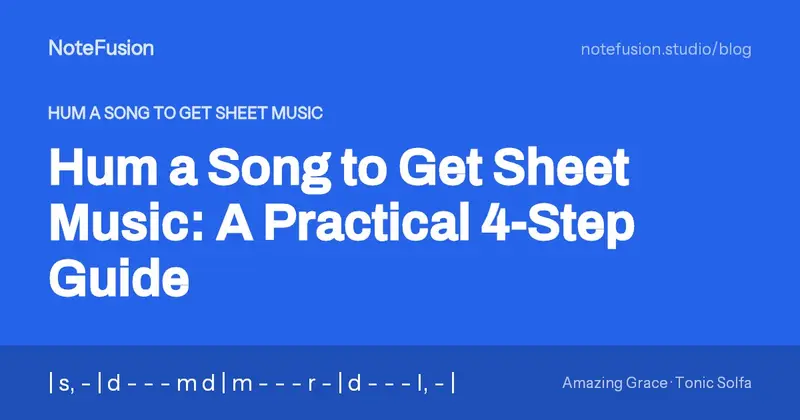
You wake up with a new tune in your head, or an elder hums an old chorus in the vestry, and you need it written out for rehearsal tonight. If you cannot get to a piano immediately, the melody risks evaporating before the choir gathers.
To hum a song to get sheet music, you simply record your voice into an audio transcription tool that detects pitch and rhythmic pulses, translating your vocal line directly into standard five-line notation and movable-doh Tonic Solfa. For the cleanest transcription, record in a quiet room, sing on a crisp syllable such as "la", and capture one verse at a time.
Over years of preparing parts for Sunday morning, I have seen many good tunes lost simply because nobody took sixty seconds to get them down on paper. Here is exactly how transcription from voice works, how to prepare your recording so the machine understands you, and what to check once the notation appears.
How does humming to sheet music actually work?
Humming to sheet music works through pitch-tracking technology that analyses the fundamental frequency and rhythmic pulse of your audio, converting vocal sound waves into discrete musical notes. The software maps each distinct pitch to a staff line or space and assigns it a corresponding rhythmic value, such as a crotchet or quaver.
When you sing into your phone microphone, your vocal cords create vibrations. A stable concert A, for example, vibrates around 440 cycles per second. The pitch-detection engine samples this frequency several times every second, smooths out tiny vocal wobbles, and identifies the target note on the chromatic scale.
Rhythm works alongside pitch. The engine monitors changes in amplitude (volume) to detect note onsets—the exact millisecond your tongue or lips release each sound. It aligns these onsets against a metric grid based on your chosen tempo and time signature. When processing finishes, the tool produces readable notation. On NoteFusion, you receive both standard staff notation and movable-doh Tonic Solfa side by side, making the piece immediately accessible whether your choir reads lines and spaces or solfa letters.
Got a recording? Get it in solfa →
4 steps to hum a song to get sheet music cleanly
Getting an accurate transcription from a voice recording is not difficult, but your microphone needs clean, unambiguous sound. A careless recording produces a jumble of tied semiquavers, unwanted rests, and accidental sharps. Follow these four steps to capture a clear take:
- Find a quiet space. Room echo, spinning desktop fans, traffic outside an open window, or footsteps on floorboards can mislead pitch sensors. Stand away from bare tiled walls that cause slapback echo.
- Sing on "la" or "da" instead of closed-mouth humming. A closed hum ("mmm") blends note boundaries together, making it hard for an algorithm to know when one note stops and the next begins. A firm "la" or "tah" creates an instant spike in sound that establishes clean rhythmic bar lines.
- Set a steady, moderate tempo. Tap your foot silently on carpet or nod your head to keep the tempo constant. Avoid rushing through long phrases or dragging the final bar of each line.
- Record one section at a time. Do not attempt an entire four-verse hymn with descants and ritardandos in one go. Transcribe the eight-bar verse first, then tackle the chorus separately.
You can try this right now using our free tool to hum to sheet music directly in your web browser.
What should you check once the notes appear?
Once the engine generates your score, you must check two fundamental musical settings: the time signature and the home doh. Software will calculate its best mathematical guess, but only a musician knows where the natural accents of the text and melody fall.
1. Confirm your time signature
If your song swings in triplets or sways like a lullaby, it may belong in 3/4 or 6/8 rather than standard 4/4 common time. Check our guide on time signatures for choir singers if you need help deciding which metre suits your tune.
Consider the opening of Amazing Grace. It swings in a gentle three beats to a bar, entering on an upbeat:
| s,A-- | dmaz----mingd_ | mgrace!---rhow- | dsweet---l,the- | s,sound,---s,That- |
If the engine placed that opening in 4/4, every bar line would fall in the wrong place, pushing strong text accents onto weak beats. Ensure the heavy downbeats land on count one of each bar.
2. Identify the pickup note (anacrusis)
Many hymns and choruses do not start on beat one. In the Amazing Grace example above, the first syllable ("A-") sits on the third beat of an incomplete bar. If you hum without establishing that pickup, a transcription tool might place your opening note on beat one, throwing off the rhythmic alignment of every subsequent measure. Learn more about catching this early in our article on what is a pickup note.
3. Verify the key and the home doh
In movable-doh Tonic Solfa, the major tonic note is doh, while in minor melodies it is read as lah. When a transcription engine displays the tune, verify that the resting note feels like home. If a piece ends decisively on G and has no sharps or flats in the melody, your doh is G. When an automated system encounters ambiguous tunes, NoteFusion presents a prompt asking "Which doh is it?", letting you anchor the scale accurately.
Here is how a clean transcription appears in G major for All Hail the Power of Jesus’ Name:
| s,All- | dhail-dthe-mpow’r-mof- | rJe--dsus’-rname!-mLet- |
Notice how the notes align cleanly across the grid: s, leads to d, stepping naturally up to m. If the microphone had picked up background hum, you might see erratic accidentals or sixteenth-rests peppered between those syllables.
Common humming mistakes and how to fix them
Even strong singers make minor vocal adjustments that confuse audio engines. When you hum a song to get sheet music, watch out for these three vocal habits:
| Vocal Habit | What Happens in the Score | The Easy Fix |
|---|---|---|
| Scooping notes | Unwanted grace notes, accidental chromatic steps, or split beats | Attack each note squarely from the centre of the pitch without sliding up from below. |
| Slowing down at phrase ends | Stretched note values (e.g. minims turning into semibreves) | Maintain a strict internal count until the final beat releases cleanly. |
| Breathing mid-phrase | Unintended rests and broken ties | Plan your breath between phrases, or stop and re-record in short four-bar segments. |
If you struggle with pitch slides, our drills on how to stop scooping notes when singing will help you strike clean intervals on the first attempt.
How Tonic Solfa makes transcribed music easier for choirs
Many community and church choirs do not read staff notation fluently. In many parts of the world, choir directors teach new repertoire using Tonic Solfa syllables because letters show singers the exact musical relationship between notes regardless of the clef or key signature.
When you record a hummed tune, having an engine that generates solfa alongside the staff notation saves hours of manual transcription. Instead of sitting with staff manuscript paper, working out whether the third line is Bb or B natural, and writing out solfa letters by hand, you receive both systems instantly. If your altos struggle with staff reading, you can point directly to the solfa letters d r m f s on their sheet.
For instance, examine how the first phrase of Holy, Holy, Holy! translates onto the solfa grid:
| dHo--dly,-mho--mly,- | sho----sly!--- |
A chorister reading those two bars knows instantly that the melody rests on doh before leaping directly to me and climbing to soh. The melodic shape is clear at a glance, eliminating confusion over staff accidentals or ledger lines.
What to adjust manually after transcription
While automated tools provide an incredible head start, human ears remain the ultimate judge of musical sense. Before handing photocopies or digital sheets to your choir, take two minutes to inspect these three elements:
1. Simplify over-complicated rhythms
If you hesitated slightly on a beat while singing, the transcription tool might generate a dotted semiquaver followed by a demisemiquaver rest. In church hymns and choral melodies, that rhythm was almost certainly intended as a straight quaver or crotchet. Round these tiny rhythmic splinters into standard note lengths.
2. Check vocal ranges for your voice parts
A melody sung comfortably in your speaking range might not work for a soprano or tenor section. If you hummed a tune in C major that reaches top G, your sopranos will strain on Sunday morning. You will need to shift the key downward to suit your singers' natural comfort zone. Our guide on how to choose the right key for your choir walks through safe limits for SATB ensembles.
3. Add text and breathing marks
An audio-to-sheet engine transcribes melody, but you must marry the tune to your lyrics. Align your words under the notes, making sure stressed syllables fall on the primary beats. Mark breath marks (a simple comma above the stave or solfa line) so the entire choir breathes together rather than dropping out individually in the middle of words.
From a hummed melody to Sunday morning
Turning a fleeting thought into a finished piece of choral music used to demand an instrument, manuscript pads, and uninterrupted hours at a desk. Today, you can hum a melody into your phone while walking home, receive a draft in staff notation and Tonic Solfa within seconds, and polish it into an effective rehearsal sheet before choir practice starts.
Treat your recording as a clear conversation with the software: enunciate every note cleanly, keep your pulse rock-steady, check your downbeats, and tidy up small rhythmic hesitations. Your choir will spend less time guessing pitches and more time blending vowels and shaping beautiful tone.
To hum your melody, see it written in staff notation and Tonic Solfa, adjust the key for your singers, and listen to it played back on piano, try the NoteFusion web app in your browser or on Android.
Frequently asked questions
Can I hum a melody to turn it into written sheet music?
Yes. An audio-to-notation transcription engine analyses the fundamental pitch and timing of your singing or humming, converting the notes into standard staff notation and Tonic Solfa syllables.
Is it better to hum or sing 'la' when recording?
Singing a crisp syllable like 'la' or 'da' gives cleaner results than closed-lip humming because the consonant marks the exact beginning of each beat, preventing smeared rhythms.
Why does my transcribed sheet music have unexpected accidentals?
Slight pitch wavering or scooping into notes can cause the pitch detector to register sharps or flats that you did not intend. Singing firmly and checking your key signature fixes this.
Can I get Tonic Solfa alongside staff notation from humming?
Yes. NoteFusion transcribes your hummed audio directly into both movable-doh Tonic Solfa and standard staff notation, allowing you to choose the home doh before printing or sharing.